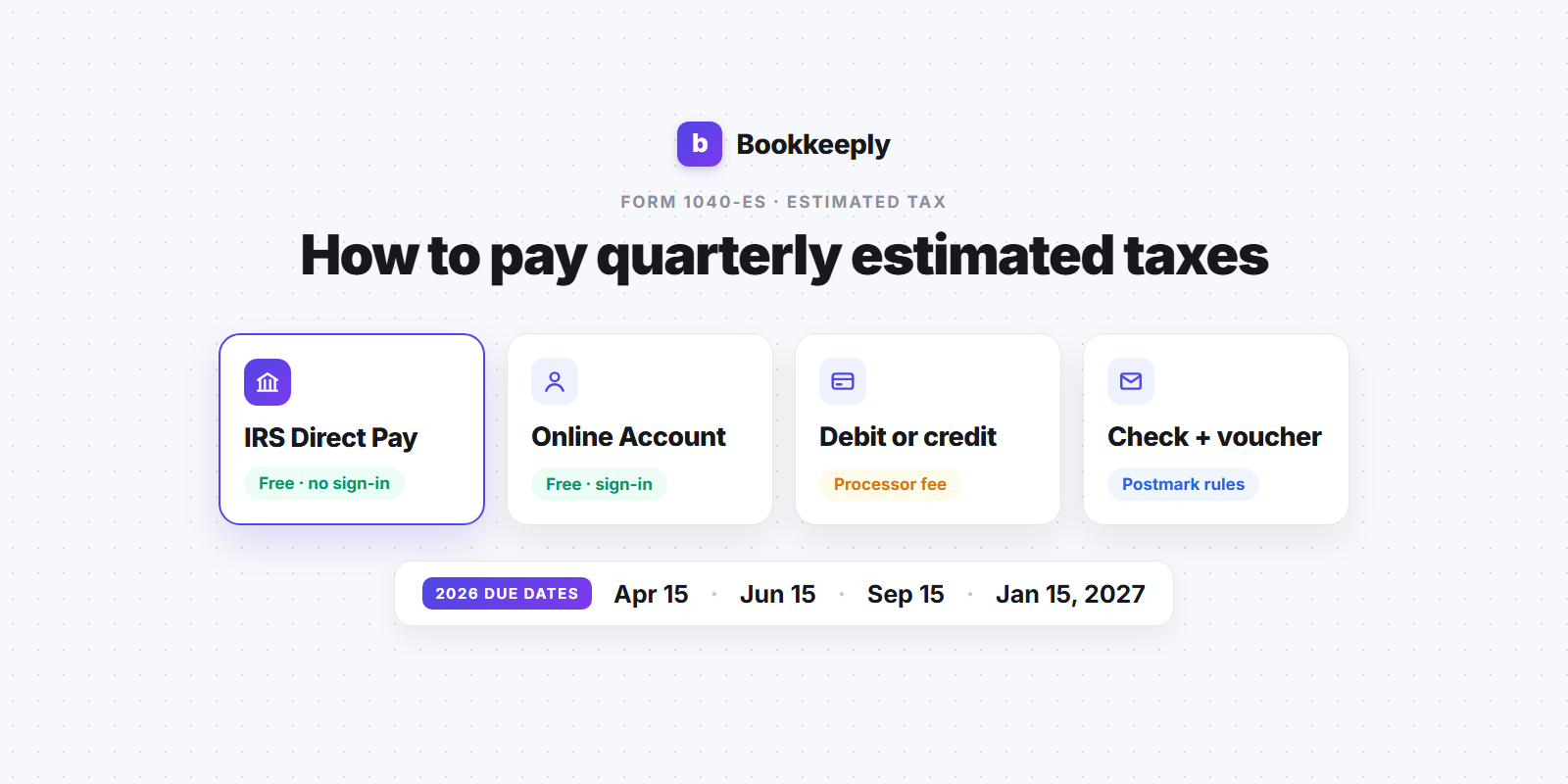
You've worked out roughly how much you owe for the quarter. The next question is the practical one: how do you actually get the money to the IRS? The good news is that paying quarterly estimated taxes takes about five minutes once you know which tool to use. This guide walks through every official payment method, step by step, so you can pick the one that fits how you work.
If you haven't calculated the amount yet, start with how to calculate self-employment tax and how much a freelancer should set aside for taxes, then come back here to pay it.
Who needs to pay quarterly estimated taxes?
Estimated taxes are how you pay income tax and self-employment tax on money that nobody withholds tax from. If you're a freelancer, contractor, or sole proprietor, there's no employer taking tax out of each check, so the IRS expects you to pay as you go during the year. You report the payments on Form 1040-ES, which is the IRS package for estimated tax for individuals.
In general, you need to make estimated payments if you expect to owe at least $1,000 when you file your return after subtracting withholding and refundable credits. The exact rules, including the safe harbor rule that protects you from penalties, are covered in their own posts.
2026 estimated tax due dates
According to the 2026 Form 1040-ES, the payment deadlines for tax year 2026 are:
- 1st payment: April 15, 2026 (income from January 1 to March 31)
- 2nd payment: June 15, 2026 (April 1 to May 31)
- 3rd payment: September 15, 2026 (June 1 to August 31)
- 4th payment: January 15, 2027 (September 1 to December 31)
Notice the periods aren't equal "quarters," even though everyone calls them that. The IRS also notes that if a due date lands on a weekend or legal holiday, a payment made on the next business day counts as on time. And per the Form 1040-ES instructions, you can skip the January 15, 2027 payment if you file your 2026 return by February 1, 2027 and pay the full balance with it.
For the last payment of the year in detail, see our guide to the Q4 estimated tax payment deadline.
How to pay quarterly estimated taxes: your options
The 2026 Form 1040-ES lists several ways to pay. Here's what each one involves, based on the IRS's own payment pages.
1. IRS Direct Pay (free, no account needed)
Direct Pay pulls the money straight from your checking or savings account at no cost. You don't create an account. Instead, the IRS verifies your identity using details from a prior-year tax return. This is the option most freelancers end up using.
- Go to IRS.gov/Payments and choose Direct Pay.
- Select Estimated Tax as the reason for payment, 1040-ES (estimated tax) as the form, and the correct tax year (2026 for all four 2026 payments, including the one due in January 2027).
- Verify your identity with your name, SSN, filing status, and address from a past return.
- Enter your bank routing and account numbers and the payment amount.
- Pick a payment date. The IRS says you can schedule a Direct Pay payment up to 365 days in advance.
- Save the confirmation number. You can also ask for an email confirmation.
According to the IRS Direct Pay help page, you can change or cancel a scheduled payment until two business days before the payment date. One limitation: if you're a first-time filer, the IRS says you'll need to pay another way, since there's no prior return to verify against.
2. Your IRS Online Account (free, sign-in required)
If you already have an IRS Online Account, you can make estimated payments there too, and you get one big bonus: your payment history. Being able to see every estimated payment the IRS has received for the year makes it much easier to fill in your return in the spring. The trade-off is that you need to create the account and pass identity verification first.
3. EFTPS (free, enrollment required)
The Electronic Federal Tax Payment System is a free Treasury service that lets you schedule payments online or by phone, up to 365 days ahead. It used to be popular with freelancers who liked to schedule all four payments in January. However, the IRS EFTPS page now states that individual taxpayers can no longer create new EFTPS accounts, and new enrollments can take up to five business days to process. If you already use it as an individual, you can keep using it. If you're starting fresh, Direct Pay or your Online Account is the simpler route.
4. Debit card, credit card, or digital wallet (fees apply)
You can pay through one of the IRS-approved card processors listed on IRS.gov/Payments. The IRS doesn't charge for this, but the processors do. As listed on the IRS card payments page at the time of writing:
- Pay1040: $2.15 flat fee for debit cards, 1.75% for credit cards (minimum $2.50)
- ACI Payments: $2.10 flat fee for debit cards, 1.85% for credit cards (minimum $2.50)
The IRS also limits card payments for Form 1040-ES to two per quarter. Illustration: a $3,000 estimated payment on a credit card at 1.75% would cost about $52.50 in processing fees, while the same payment through Direct Pay costs nothing. A debit card keeps the fee to a couple of dollars if you'd rather not link a bank account.
5. Check or money order with a 1040-ES voucher
Mailing a check still works. The 2026 Form 1040-ES includes a separate payment voucher for each due date. According to the form's instructions:
- Make the check or money order payable to "United States Treasury."
- Write "2026 Form 1040-ES" and your SSN on the check.
- Fill in your name, address, SSN, and the amount on the voucher.
- Enclose the payment with the voucher, but don't staple or attach it.
- Mail it to the address listed for your state in the form instructions. Don't send your tax return to that address.
A mailed payment is on time if it's postmarked by the due date. The 2026 form adds a caution worth taking seriously: under a recent clarification of USPS postmark rules, the postmark date is the date the mail is processed at a facility, which may be later than the day you dropped it off. If you mail close to a deadline, consider an electronic method instead.
6. Other options: IRS2Go app and cash
The Form 1040-ES also mentions paying through the IRS2Go mobile app and paying cash at participating retail partners (see IRS.gov/PayCash). Cash payments are a multi-step process with their own limits, so they're best treated as a backup.
A simple quarterly routine (example)
Here's an illustration of how a freelancer might handle the process each quarter. The numbers are made up for the example.
- A week before the deadline, check your year-to-date profit in your books.
- Calculate the payment. Say your planning estimate for the year is $14,000 in total federal tax (income tax plus self-employment tax). Four equal payments would be $3,500 each.
- Move the money. If you've been setting aside a percentage of every invoice in a separate savings account, the $3,500 is already waiting.
- Pay through Direct Pay, choosing Estimated Tax, 1040-ES, and tax year 2026.
- Record it. Log the date, amount, and confirmation number. You'll need the total of all four payments when you file.
If your income is lumpy, equal payments might not be the best fit. Your required payment depends on which safe harbor you're using. Higher earners should read about the 110% safe harbor rule before settling on an amount.
Common mistakes to avoid
- Choosing the wrong tax year. The January 2027 payment belongs to tax year 2026. Picking 2027 in Direct Pay would credit it to the wrong year.
- Choosing "balance due" instead of "estimated tax." The payment type tells the IRS how to apply your money, so make sure it says estimated tax and 1040-ES.
- Forgetting your state. IRS payments only cover federal tax. If your state has an income tax, it usually has its own estimated payment system and deadlines.
- Not keeping confirmations. Without records, matching your payments at tax time gets harder.
- Skipping a quarter and doubling up later. A catch-up payment helps, but it doesn't erase the penalty for the quarter you missed. See how the IRS underpayment penalty works.
Can you pay more often than quarterly?
Yes. The Form 1040-ES instructions say you can make more than four estimated payments. The key is that the total paid by each due date should be at least what's required for that period. Some freelancers pay monthly, or every time a big client invoice clears, because it keeps the balance from feeling like a surprise. Direct Pay makes this easy since there's no voucher to mail.
FAQ
What's the easiest way to pay quarterly estimated taxes?
For most freelancers, IRS Direct Pay. It's free, doesn't require an account, lets you schedule ahead, and gives you a confirmation number right away.
Do I need to send the 1040-ES voucher if I pay online?
No. The Form 1040-ES instructions say to complete and send a voucher only if you're paying by check or money order.
Can I pay all my estimated tax at once?
Yes. The form says you can pay all of your estimated tax by the first due date (April 15 for 2026) instead of in four installments.
Is paying estimated taxes by credit card worth it?
Only if the card rewards beat the processing fee, which at 1.75% to 1.85% for credit cards is a high bar. Debit cards have a small flat fee instead.
Where do my estimated payments show up when I file?
You enter the total of your estimated payments on your Form 1040 for that tax year. That's why saving every confirmation number matters.
Keep it simple
Paying estimated taxes isn't hard. The hard part is knowing the right amount and having the cash ready when the deadline comes. Calculate your number, pay it through Direct Pay or your Online Account, save the confirmation, and repeat four times a year. For background on what you're actually paying, our self-employment tax guide breaks down the rates, and the rest of the Bookkeeply blog covers the other pieces of freelancer taxes.
This article is for educational purposes only and isn't tax, legal, or financial advice. Bookkeeply is not a CPA firm. IRS rules, fees, and payment options can change, so check IRS.gov or talk to a tax professional about your situation.
If you'd like to see your quarterly estimate before each deadline instead of working it out by hand, you can try Bookkeeply for free.
Stop guessing what you'll owe.
Track your bookkeeping and see your real tax estimate in minutes a day, free, no credit card required.
Get Started Free