Most freelancers don't skip bookkeeping because they're careless. They skip it because nobody ever showed them a system small enough to actually keep up with. So the receipts pile up, client payments land in three different apps, and every April turns into a weekend of detective work.
This guide walks through a simple way to track freelance income and expenses: what to record, where to keep it, how often to update it, and a worked example of one month so you can see what "done" looks like. You don't need accounting software to start. You need a few habits and a place to put the numbers.
What the IRS expects your records to show
The IRS doesn't require a specific app or format. On its page What kind of records should I keep, it says you can choose any recordkeeping system that clearly shows your income and expenses. It also notes that electronic records are fine, and the same rules apply to them as to paper books.
In practice, your records need to do two jobs:
- Show where your income came from. The IRS lists things like deposit records, invoices and Forms 1099 as examples of documents that support gross receipts.
- Back up every expense you deduct. For expenses, the IRS points to documents that show the payee, the amount, proof of payment, the date and a description, such as account statements, credit card records and invoices.
Everything below is just a practical way to produce those two things without much effort.
Step 1: Give your business money one home
The single biggest time saver is routing business money through one account (and, if you use one, one card). When client payments go into a dedicated account and business costs come out of it, your bank statement already does half of your bookkeeping for you. The same IRS page notes that for most small businesses, the business checking account is the main source for entries in the books.
If you haven't set that up yet, our guide on whether freelancers need a business bank account covers the options. If you get paid through apps like PayPal or Stripe, transfer those balances into the same account on a regular schedule so everything ends up in one place.
Step 2: Set up an income log
An income log is a simple list of every payment you receive for your work. A spreadsheet tab is enough. Use these columns:
- Date received
- Client
- Invoice number (so you can match payments to invoices and spot unpaid work)
- Amount (the full amount the client paid, before any platform fees)
- Payment method (bank transfer, card, PayPal and so on)
Recording the full amount before fees matters. Payment platforms often report the gross amount, and your fees are a separate deductible expense. If you only log what hit your bank, your income total may not match the forms you receive, which makes year-end reconciliation harder. You report your freelance income whether or not a client sends you a form, so the log should include every payment. Our post on Form 1099-K for freelancers explains how platform reporting works.
Step 3: Set up an expense log
Your expense log is a second tab with these columns:
- Date
- Vendor
- Amount
- Category (software, equipment, office, travel, fees and so on)
- Business purpose (one short line, for example "design software for client work")
- Receipt (a link to the photo or PDF)
Use categories that match Schedule C
Sole proprietors and single-member LLC owners usually report business income and expenses on Schedule C. If your categories roughly line up with the expense lines on that form, filing becomes a matter of adding up each category. Our Schedule C guide for freelancers shows what goes where, and the self-employed tax deductions checklist is useful for spotting categories you might be missing.
Capture receipts right away
Take a photo of the receipt (or forward the email) on the day you buy something, and save it in a folder named by year and month. Waiting until the end of the quarter is how receipts disappear. Some expenses, like travel, gifts and car use, have stricter documentation rules, which the IRS covers in Publication 463. If you drive for work, keep a mileage log too (see our mileage deduction guide).
Step 4: A 15-minute weekly review
The log only works if it stays current. A short weekly routine is usually enough:
- Open your business bank and card statements for the past week.
- Add any client payments to the income log and mark the matching invoices as paid.
- Add any business purchases to the expense log, with a category and purpose.
- Check that every expense has a receipt attached. Chase down any that are missing while you still remember them.
- Flag any personal purchases that slipped through the business account, so you don't deduct them by mistake.
Pick a fixed slot, like Friday afternoon. Fifteen minutes a week is far less painful than a full day every quarter.
Example: one month of freelance records
The figures below are an illustration to show how the system works, not real data or tax advice.
Say a freelance designer has this October:
Income log
- Oct 3: Client A, invoice #014, $2,400, bank transfer
- Oct 15: Client B, invoice #015, $1,800, bank transfer
- Oct 28: Client C, invoice #016, $950, card payment
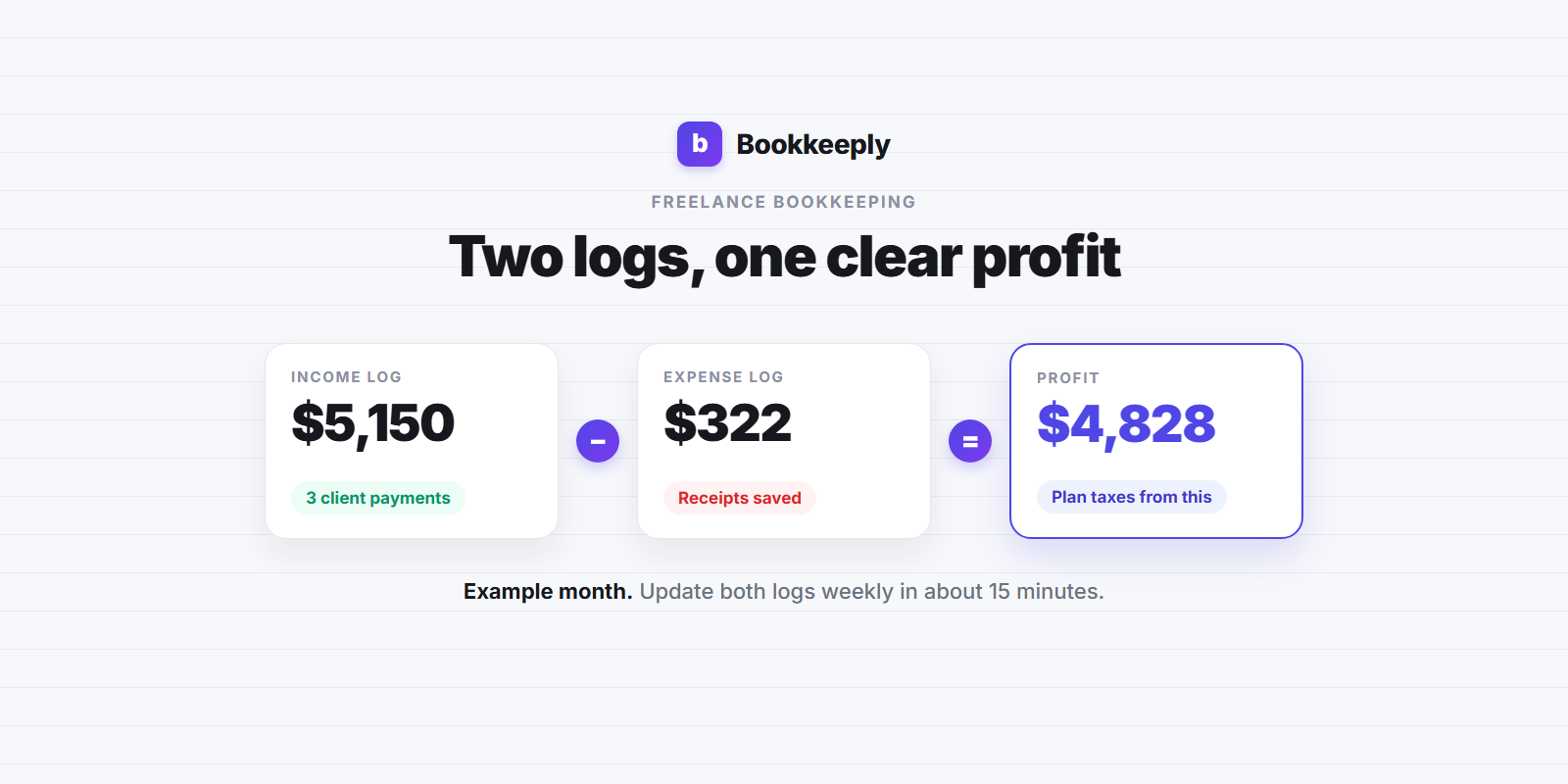
Total income: $5,150
Expense log
- Oct 1: design software subscription, $60, category: software
- Oct 12: coworking day passes, $150, category: office
- Oct 31: payment processing fees for the month, $112, category: fees
Total expenses: $322
What the numbers tell you
Income of $5,150 minus expenses of $322 leaves $4,828 of profit for the month. That profit number, not your total deposits, is what drives your self-employment tax and income tax. Setting aside 25% to 30% of profit is a common starting point many freelancers use (our post on how much a freelancer should set aside for taxes explains how to adjust it). In this example that would be roughly $1,207 to $1,448 for October.
Because the logs are already up to date, this designer can see their profit at any point during the year. That makes quarterly estimated tax payments much easier to work out, instead of a guess made the night before the deadline.
Spreadsheet, app or bookkeeper?
There's no single right tool. A rough way to choose:
- Spreadsheet: works well if you have a handful of clients and a few dozen transactions a month. It's free and fully under your control, but you do all the entry and categorizing yourself.
- Bookkeeping app: makes more sense as transactions grow. Apps can import bank activity, suggest categories and show your profit and tax estimate as you go.
- Bookkeeper or accountant: worth it if your business is more complex (inventory, employees, several entities) or you simply don't want to do it. You still need to hand over receipts and answer questions, so good habits help either way.
Whichever you pick, the same rule applies: one home for business money, two logs and a weekly review.
How long to keep your records
According to the IRS page How long should I keep records, the general period is 3 years. It can be longer in some cases: 6 years if you leave out income that is more than 25% of the gross income shown on your return, 7 years for a claim involving a loss from worthless securities or a bad debt deduction, and indefinitely if you don't file a return or file a fraudulent one. Organize your folders by tax year so old records are easy to find (and easy to archive later).
Common mistakes to avoid
- Logging only what hits your bank. Record gross client payments and log platform fees as an expense.
- Mixing personal and business purchases. It hides deductions and makes your profit number unreliable.
- Saving receipts "later". Snap them on the day.
- Skipping the business purpose. A one-line note today saves a lot of guessing if you're ever asked about an expense.
- Tracking income but not profit. Your tax estimate depends on profit, so look at both every month.
FAQ
Do freelancers have to use accounting software?
No. The IRS says you can use any recordkeeping system that clearly shows your income and expenses. A well-kept spreadsheet plus saved receipts can be enough for a simple freelance business.
Should I use cash or accrual tracking?
Most freelancers record income when they're paid and expenses when they pay them, which is the cash method. Our post on cash vs accrual accounting for freelancers explains the difference.
Do I need to keep paper receipts?
Not necessarily. The IRS states that the requirements for paper records also apply to electronic ones, so clear scans or photos stored in an organized way are a common approach. Make sure they're legible and backed up.
How often should I update my books?
Weekly works well for most freelancers. It keeps the job small and means you always know roughly where your profit stands.
This article is for general educational purposes only and is not tax, legal or accounting advice. Bookkeeply is not a CPA firm. Rules can change and every situation is different, so check with a qualified tax professional before making decisions.
If you'd rather not build the spreadsheet yourself, you can try Bookkeeply to log income and expenses and see your profit as you go. You can also browse more guides on the Bookkeeply blog.
Stop guessing what you'll owe.
Track your bookkeeping and see your real tax estimate in minutes a day, free, no credit card required.
Get Started Free