You finished the work, the client is happy, and now you need to get paid. For most freelancers that means sending an invoice. A clear invoice gets paid faster, answers the client's questions before they ask, and gives you a clean record for your books and your tax return.
This guide covers how to invoice as a freelancer step by step: what to put on the invoice, how to number it, which payment terms to use, when to send it, and what to do when a client pays late. There's a full example near the end.
What is a freelance invoice?
An invoice is a document you send a client that lists the work you did, what it costs, and how and when they should pay. It's a request for payment, not proof that you were paid. Once the client pays, the invoice (marked paid) and the payment record together show the full story of that sale.
Invoices matter for three reasons:
- Getting paid. Many clients, especially larger companies, can't release a payment until their accounts team has an invoice to process.
- Your bookkeeping. Each invoice is a record of income you earned. It's the backbone of tracking your freelance income and expenses.
- Your taxes. Your invoices and deposits help you check the gross receipts you report on Schedule C and compare them with any 1099 forms clients send you.
What to include on a freelance invoice
There's no single required federal format for a freelance invoice in the US, but a complete invoice usually includes the following.
1. Your business details
Your name or business name, email, and mailing address. If you have a logo, add it. Keep these details the same as what you put on the client's Form W-9, so their records match.
2. The client's details
The client's company name, the contact person, and their billing address or accounts payable email. Some companies also give you a purchase order (PO) number. If they do, put it on the invoice, because invoices without a PO number are often sent back.
3. A unique invoice number
Every invoice needs its own number so you and the client can refer to it. More on numbering systems below.
4. Invoice date and due date
The invoice date is the day you issue it. The due date is when payment is expected. Writing an actual date ("Due November 18, 2026") is clearer than only writing a term like "Net 14".
5. Itemized line items
List each service or deliverable on its own line with a short description, the quantity (hours, days or units), the rate, and the line total. "Website work" is vague. "Homepage redesign, 12 hours at $85/hour" is clear and harder to dispute.
6. Subtotal, adjustments and total due
Show the subtotal, any discounts or deposits already paid, any reimbursable expenses you agreed to bill, and the final amount due. If sales tax applies to what you sell in your state, show it on its own line. Sales tax rules vary by state and by type of service, so check your state's rules rather than guessing.
7. Payment terms and methods
State how the client can pay (bank transfer, card, check, a payment platform) and any late fee policy you agreed to in your contract.
8. A short note
A one-line thank-you or a reference to the project keeps things friendly and gives context to whoever processes the payment.
How to number your invoices
The goal is simple: no two invoices share a number, and the numbers make sense when you look back a year later. Three common systems:
- Sequential: 0001, 0002, 0003. Simple and works for most freelancers. Starting at a four-digit number avoids the "invoice #1" look.
- Year-based: 2026-001, 2026-002. Handy at tax time because each year's invoices are grouped.
- Client-based: ACME-001, ACME-002. Useful if you bill a few clients often and want to see each client's history at a glance.
Whatever you pick, don't reuse or skip around. If you need to cancel an invoice, mark it void and issue a new one with a new number instead of editing the old one after it's been sent.
Payment terms: Net 7, Net 14, Net 30 and due on receipt
"Net 30" means payment is due 30 days after the invoice date. Net 7 and Net 14 work the same way with shorter windows. "Due on receipt" means you expect payment as soon as the client gets the invoice.
Shorter terms help your cash flow, but large companies often have fixed payment cycles (Net 30 or longer) that you can't change. The best approach is to agree on terms in your contract before you start, then repeat the same terms on every invoice. For bigger projects, it's common to ask for a deposit up front and invoice the rest at milestones or on delivery.
When to send a freelance invoice
- Project work: when the project or milestone is delivered and approved.
- Hourly or ongoing work: on a regular schedule, such as every two weeks or at the end of each month.
- Retainers: at the start of each period, before the work is done.
Send it promptly. An invoice sent the day the work is approved is fresh in everyone's mind. One sent six weeks later invites questions. Send it as a PDF so the formatting stays intact, and keep a copy.
Example: a simple freelance invoice
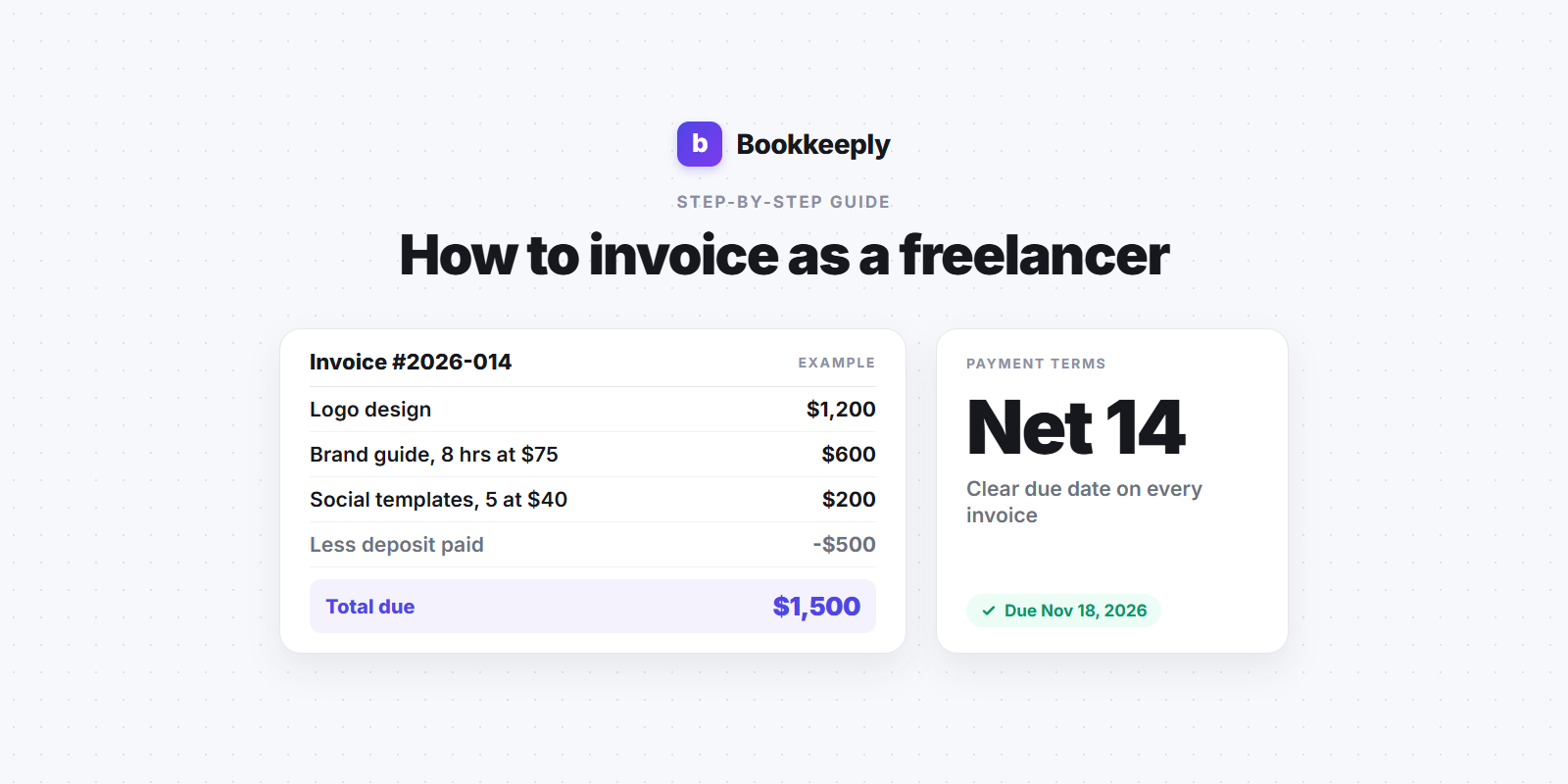
Here's an illustration with made-up numbers. A freelance designer, Jordan, finishes a brand project for a client.
- From: Jordan Lee Design, jordan@example.com, mailing address
- Bill to: Acme Studio, Accounts Payable, PO #4471
- Invoice #: 2026-014
- Invoice date: November 4, 2026. Due date: November 18, 2026 (Net 14)
- Logo design, 1 package at $1,200 = $1,200
- Brand guide, 8 hours at $75/hour = $600
- Social media templates, 5 at $40 = $200
- Subtotal: $2,000
- Less deposit paid (Invoice 2026-011): -$500
- Total due: $1,500
- Payment: bank transfer or card via the payment link. Late fee as agreed in the contract.
The math in this example: $1,200 + $600 + $200 = $2,000, and $2,000 minus the $500 deposit leaves $1,500 due. Note that the deposit appears on the final invoice, so the client can see the full project price and exactly what's left to pay.
What to do when a client pays late
- Check the basics first. Did the invoice go to the right accounts payable contact? Did it include the PO number they needed?
- Send a polite reminder a day or two after the due date, with the invoice attached again.
- Follow up on a schedule, for example after 7 and 14 days, and switch from email to a phone call if emails go unanswered.
- Apply your late fee only if your contract includes one, and mention it in the reminder.
- Pause new work for that client until the overdue balance is paid, if your contract allows it.
One tax detail worth knowing: most freelancers use the cash method, which means you generally report income when you actually receive it, not when you send the invoice (see our guide to cash vs accrual accounting). The flip side is that the IRS says cash method taxpayers generally can't take a bad debt deduction for unpaid fees (IRS Tax Topic 453). Since an unpaid invoice was never counted as income, there's nothing to write off.
Keeping invoice records for your taxes
Keep a copy of every invoice you send and a record of when and how each one was paid. The IRS says that in general you should keep records for 3 years, with longer periods in some situations (for example, 6 years if you leave out income that is more than 25% of the gross income shown on your return). Its page "How long should I keep records?" lists the details.
Good invoice records make several things easier:
- Matching each client payment to an invoice, so nothing is counted twice or missed.
- Checking the totals on the 1099-NEC forms clients send you against your own numbers.
- Working out what to set aside for quarterly estimated taxes, since freelancers usually have no tax withheld from their payments.
A simple habit helps: each time a payment arrives, mark the invoice paid and move a share of it into a separate savings account for taxes. Our guide on how much a freelancer should set aside for taxes covers how to pick that percentage.
Common freelance invoicing mistakes
- No due date. Without one, your invoice goes to the bottom of the pile.
- Vague line items. They lead to questions and delays.
- Mixing personal and business payments. Having clients pay into a business bank account makes your records much cleaner.
- Editing invoices after sending. Void and reissue instead, so your numbering stays honest.
- Not tracking what's outstanding. A quick weekly look at unpaid invoices catches late payers early.
FAQ
Do I need a business license or an LLC to send invoices?
Not to send an invoice. Sole proprietors invoice under their own name all the time. Local licensing rules vary, so check your city and state requirements separately.
Should I put my Social Security number on an invoice?
No. An invoice doesn't need your SSN. Clients who need your taxpayer ID for a 1099 should request it with Form W-9, which you send securely and separately.
Is an invoice the same as a receipt?
No. An invoice asks for payment. A receipt confirms that payment was made. Many freelancers simply mark the invoice "paid" and keep the payment confirmation with it.
Can I use a free invoice template?
Yes. A spreadsheet or document template works fine when you have a few clients. As volume grows, software that numbers invoices and tracks payment status saves time and mistakes.
Want more guides like this? Browse the Bookkeeply blog.
This article is for educational purposes only and is not tax, legal or financial advice. Bookkeeply is not a CPA firm. Sources: IRS Tax Topic 453 (Bad debt deduction) and the IRS page "How long should I keep records?". Tax and sales tax rules change and vary by state, so check official guidance or talk to a qualified tax professional before making decisions.
If you'd like your clients, payments and tax set-asides in one tidy place, you can try Bookkeeply for free.
Deja de adivinar cuánto deberás.
Lleva tu contabilidad y mira tu estimación real de impuestos en minutos al día, gratis, sin necesidad de tarjeta de crédito.
Empieza gratis